Heal has new features coming to help make Admin team members’ lives easier, you can learn about these below.
|
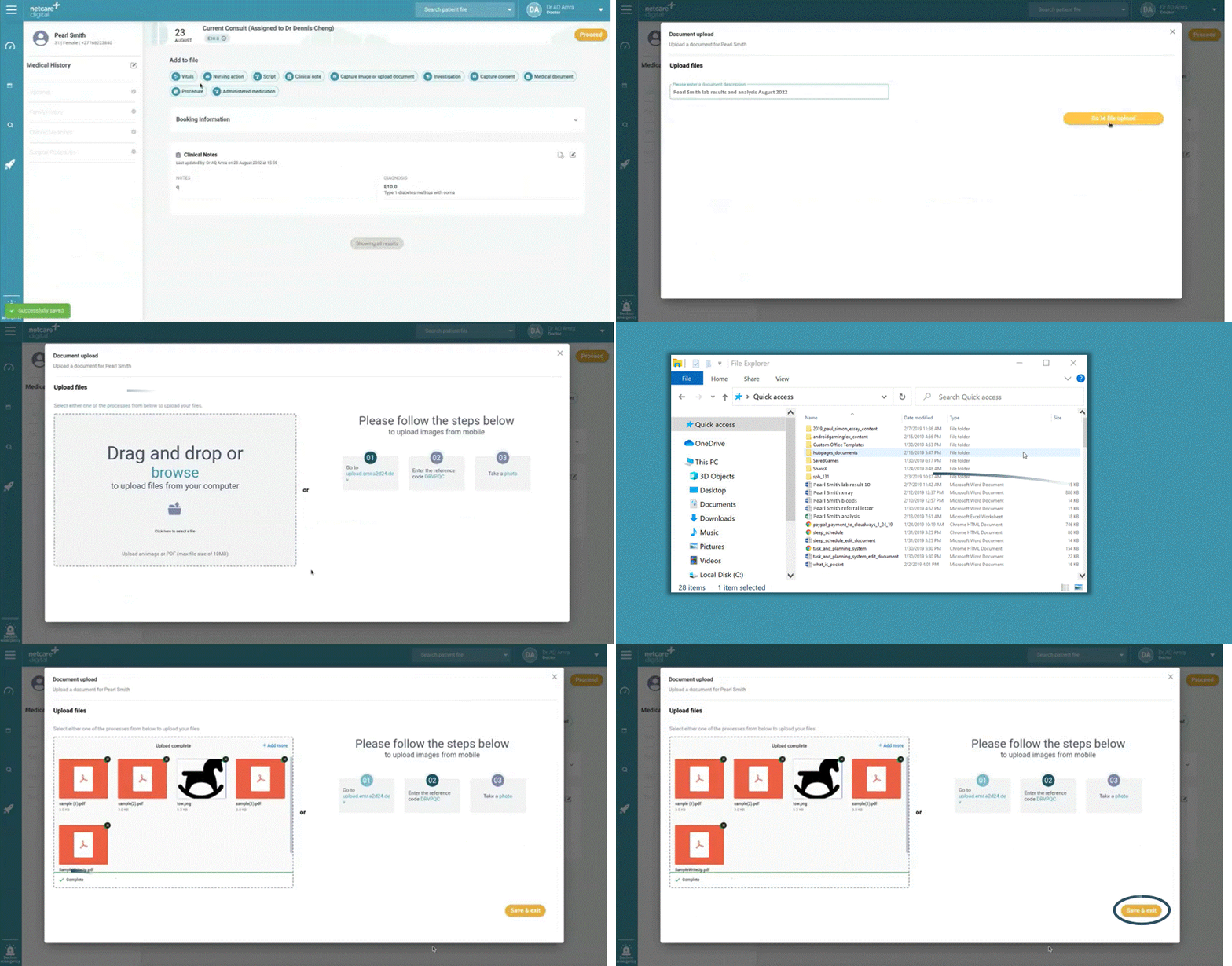
You are now able to upload multiple documents. You can do this by navigating to the document upload function, adding a document description and then simply dragging and dropping multiple documents and images into the drag and drop box.
|
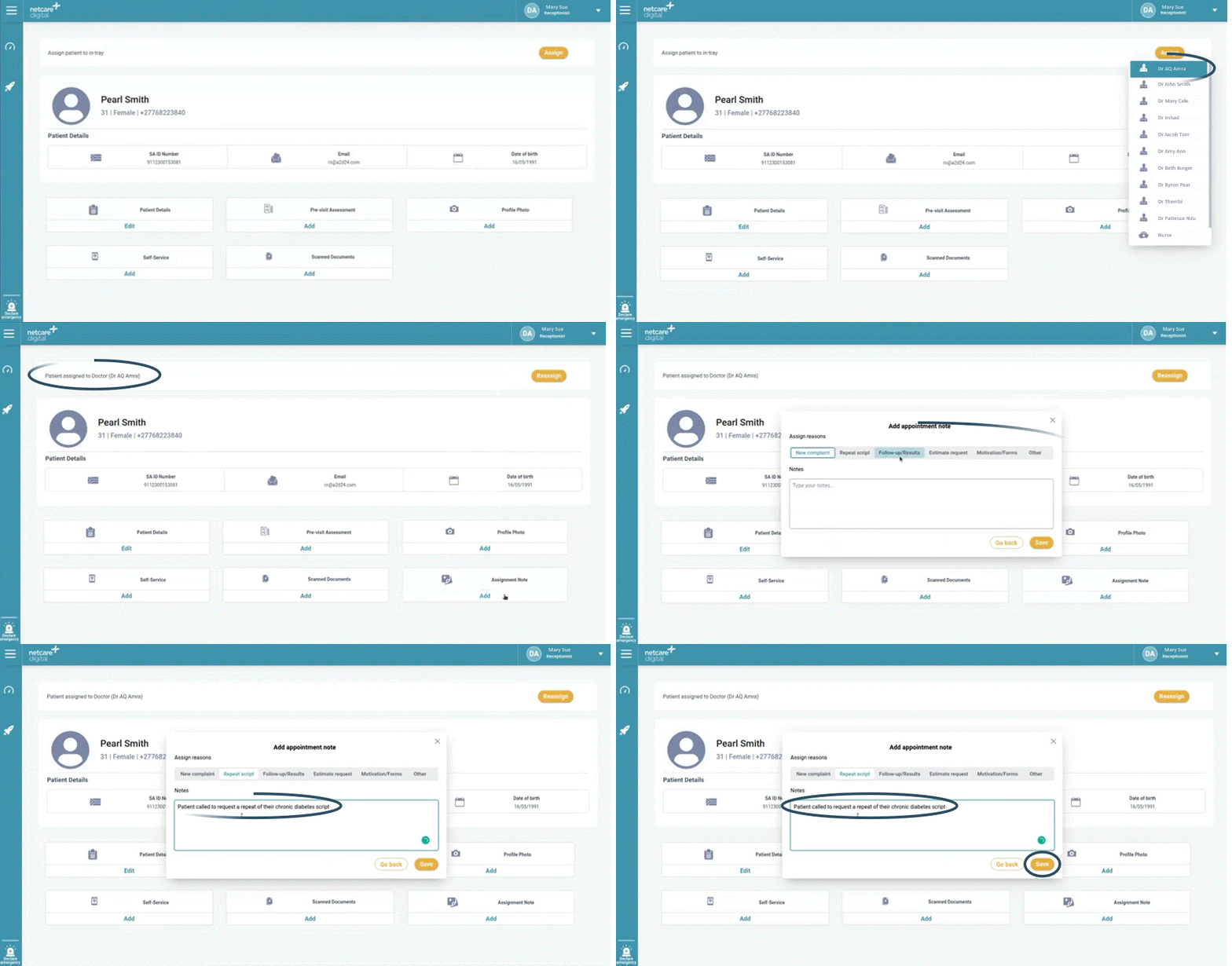
You are now able to add a note to a patient’s file on Heal for the practitioner to see, just like adding a sticky note to a yellow file. You can do this once you have assigned the patient to the relevant practitioner as well as in the patient file under the booking information section, by selecting the “Assignment note” feature, choosing the assignment reason and writing a personalised message e.g., “Patient requires a repeat script”. The information captured will display in the practitioner’s dashboard.
|
Please click on the below button to share your feedback on the Heal application in under 30 seconds. Your feedback is greatly appreciated.
|